by
by 
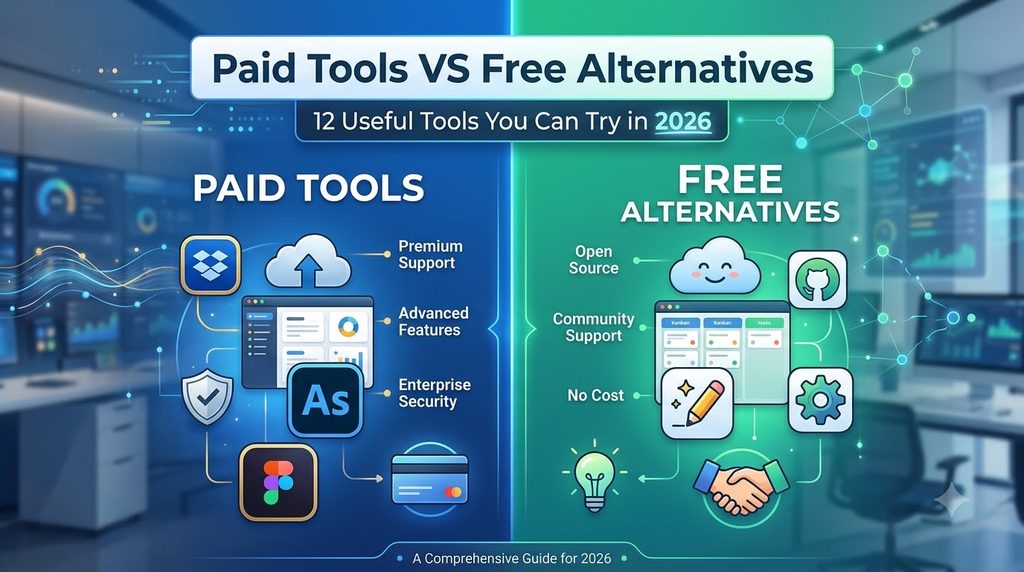
You don’t always need to pay for expensive software to complete everyday digital tasks. From AI assistants and graphic design to video creation, writing, presentations, automation, photo editing, and website building, there are many tools that offer free or limited-free options.
The table below compares popular paid or premium tools with free or freemium alternatives that can be explored for similar types of work.
Note: “Free alternative” means the service has a free option or can be used without paying for some features. Free-plan limits, pricing, and features can change, so check the official website before using a tool for an important project.

1. ChatGPT vs Claude
| Paid Tool | What It Does | Free Alternative |
|---|---|---|
| ChatGPT | AI assistant for writing, brainstorming, coding, research assistance, summarization and everyday tasks. | Claude |
ChatGPT: https://chatgpt.com/
Claude: https://claude.ai/
Claude is an AI assistant that can be used for writing, analyzing text, brainstorming, summarizing information, and other everyday tasks. Users can try its available free access before deciding whether they need a paid plan.
2. Runway vs RecCloud
| Paid Tool | What It Does | Free Alternative |
|---|---|---|
| Runway | AI-powered video creation and editing, including generative video features. | RecCloud |
Runway: https://runwayml.com/
RecCloud: https://reccloud.com/
Runway is designed for AI-assisted video creation and creative workflows. RecCloud also provides AI-powered tools for working with video and other media. Free usage may have limits depending on the current plan.
3. Canva vs Microsoft Designer
| Paid Tool | What It Does | Free Alternative |
|---|---|---|
| Canva | Graphic design, social-media posts, presentations, thumbnails, banners and other visual content. | Microsoft Designer |
Canva: https://www.canva.com/
Microsoft Designer: https://designer.microsoft.com/
Canva is widely used for creating visual content with templates and easy-to-use design tools. Microsoft Designer provides another way to create graphics and visual designs, including AI-assisted features.
4. Midjourney vs DALL·E
| Paid Tool | What It Does | Free Alternative |
|---|---|---|
| Midjourney | Generates AI images from text prompts and creative descriptions. | DALL·E |
Midjourney: https://www.midjourney.com/
DALL·E: https://openai.com/dall-e/
AI image generators allow users to describe an image in natural language and generate a visual based on that description.
They can be useful for creative concepts, illustrations, backgrounds, blog graphics, social-media content, and visual experimentation.
Important: Availability, free access, and image-generation limits can vary, so check the current service details before relying on a particular plan.

5. Microsoft PowerPoint vs Google Slides
| Paid Tool | What It Does | Free Alternative |
|---|---|---|
| PowerPoint | Creates presentations, slideshows, business presentations and educational projects. | Google Slides |
PowerPoint: https://www.microsoft.com/microsoft-365/powerpoint
Google Slides: https://slides.google.com/
Google Slides is a browser-based presentation tool that can be useful for students, teachers, businesses, and anyone who needs to create presentations online.
It also makes collaboration convenient because presentations can be shared with other users.
6. Grammarly vs QuillBot
| Paid Tool | What It Does | Free Alternative |
|---|---|---|
| Grammarly | Grammar checking, spelling, writing suggestions and readability assistance. | QuillBot |
Grammarly: https://www.grammarly.com/
QuillBot: https://quillbot.com/
QuillBot provides writing-related tools including paraphrasing and rewriting features.
It can be useful for people who want to experiment with different sentence structures or improve the readability of a draft.
Always review rewritten content yourself because automated rewriting can sometimes change the original meaning.
7. Zapier vs Bardeen
| Paid Tool | What It Does | Free Alternative |
|---|---|---|
| Zapier | Connects online applications and automates repetitive tasks. | Bardeen |
Zapier: https://zapier.com/
Bardeen: https://www.bardeen.ai/
Automation tools can save time by reducing repetitive work.
For example, users can create workflows that connect supported applications and perform actions automatically when specific events occur.
Bardeen also focuses on browser-based and AI-assisted automation workflows.
8. Fireflies vs Laxis
| Paid Tool | What It Does | Free Alternative |
|---|---|---|
| Fireflies.ai | AI meeting assistant for transcription, notes and meeting-related productivity. | Laxis |
Fireflies: https://fireflies.ai/
Laxis: https://www.laxis.com/
AI meeting tools can help users organize conversations and make important information easier to review after a meeting.
They can be useful for online meetings, interviews, business discussions, research, and remote teams.
Always consider privacy and consent requirements before recording or processing other people’s conversations.
9. Synthesia vs HeyGen
| Paid Tool | What It Does | Free Alternative |
|---|---|---|
| Synthesia | Creates AI avatar and presenter-style videos. | HeyGen |
Synthesia: https://www.synthesia.io/
HeyGen: https://www.heygen.com/
AI avatar platforms can be useful for creating training videos, educational content, presentations, product explanations, and other presenter-style videos.
Both platforms have different plans and limitations, so check the current free access and available features before starting a larger project.
10. Photoshop vs Photopea
| Paid Tool | What It Does | Free Alternative |
|---|---|---|
| Adobe Photoshop | Professional image editing, photo manipulation, graphic design and creative work. | Photopea |
Photoshop: https://www.adobe.com/products/photoshop.html
Photopea: https://www.photopea.com/
Photopea is a browser-based image editor that can be useful for many common editing tasks.
Users can work with images, layers and graphic designs directly from a web browser without installing traditional desktop editing software.
For simple image editing and website graphics, it can be a convenient option.
11. Durable vs 10Web
| Paid Tool | What It Does | Free Alternative |
|---|---|---|
| Durable | AI-assisted website creation and business website tools. | 10Web |
Durable: https://durable.co/
10Web: https://10web.io/
AI website builders can help users create an initial website structure without having extensive coding knowledge.
They can be useful for freelancers, small businesses, portfolios, landing pages, and people experimenting with new online projects.
However, website owners should also consider hosting, security, performance, backups, SEO, and content quality when choosing a platform.
12. Iconfinder vs Icons8
| Paid Tool | What It Does | Free Alternative |
|---|---|---|
| Iconfinder | Provides icons and other visual resources for design projects. | Icons8 |
Iconfinder: https://www.iconfinder.com/
Icons8: https://icons8.com/
Icons8 provides icons and other design resources that can be useful for websites, applications, presentations, social-media graphics, and other creative projects.
Before using an icon commercially, always check the individual resource’s licensing requirements. Free availability does not necessarily mean that every asset can be used without restrictions.
Quick Comparison of Paid Tools and Free Alternatives
| Paid Tool | Main Work | Free Alternative | Official Website |
|---|---|---|---|
| ChatGPT | AI Assistant | Claude | https://claude.ai/ |
| Runway | AI Video | RecCloud | https://reccloud.com/ |
| Canva | Graphic Design | Microsoft Designer | https://designer.microsoft.com/ |
| Midjourney | AI Images | DALL·E | https://openai.com/dall-e/ |
| PowerPoint | Presentations | Google Slides | https://slides.google.com/ |
| Grammarly | Writing | QuillBot | https://quillbot.com/ |
| Zapier | Automation | Bardeen | https://www.bardeen.ai/ |
| Fireflies | Meeting Notes | Laxis | https://www.laxis.com/ |
| Synthesia | AI Avatar Videos | HeyGen | https://www.heygen.com/ |
| Photoshop | Photo Editing | Photopea | https://www.photopea.com/ |
| Durable | Website Builder | 10Web | https://10web.io/ |
| Iconfinder | Icons | Icons8 | https://icons8.com/ |
Which Free Alternative Should You Try?
The right tool depends on the type of work you want to do. Someone looking for an AI assistant may want to explore Claude, while a person creating presentations can try Google Slides. For image editing, Photopea provides a browser-based option, and Microsoft Designer can be useful for graphic-design tasks.
The important thing is not to assume that a free service will always have every feature available in its paid competitor. Instead, look at your actual requirements and check whether the free version provides enough functionality.
For occasional use, a free plan may be perfectly adequate. If you are using a tool professionally and regularly reach its limits, a paid plan may provide additional features that are useful for your workflow.
Final Thoughts
You don’t necessarily need a separate expensive subscription for every digital task. By exploring free and freemium alternatives, you can test different tools and build a workflow that fits your requirements.
The list above covers AI assistants, AI video generation, graphic design, AI image generation, presentations, writing, automation, meeting notes, AI avatar videos, photo editing, website building, and icons.
Keep in mind that the word “free” does not always mean unlimited. Some services may provide limited credits, restricted features, watermarks, lower export quality, or other conditions. Pricing and features can also change, so visiting the official website is the best way to confirm the current offering.
For beginners, students, bloggers, freelancers, content creators, and small businesses, trying a free option first can be a practical way to discover which tools actually fit their needs before spending money on a subscription.